- type in a different part of an email, report, or letter
- change from one application (or computer program) to another
- click on a button that performs an action (such as to click "shut down" to turn off the computer)
- click on a button that opens up a menu (such as to click "File" to open the menu, then "Save" to save the file)
- or other, more nuanced actions
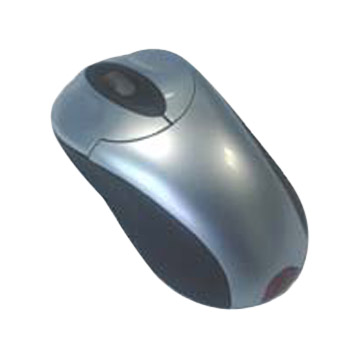
On some mouses (yes, the plural of "mouse" is "mouses," although "mice" is OK as well), there are two or more buttons, usually referred to as "left," "right," and sometimes "center." The left button performs the actions described above, while the right and center buttons perform "secondary" actions. Experiment with your own two-or-more-button mouse to discover which actions are triggered by the right and center buttons.
Laptops (portable computers) do not use ordinary mouses, since it is inconvenient to keep track of the computer and the mouse while traveling. Instead, they use trackpads, which serve the same purpose as mouses do yet are built in to the laptops. Instead of moving the mouse to move the pointer, you slide your finger along the surface of the trackpad. Most trackpads have a button (or buttons) to click, just like a mouse. In addition, though, newer trackpads will often "click" when you tap your finger on the trackpad surface instead of the mouse. This allows you to move the mouse and click without looking down at the trackpad to make sure you are touching the right surface.
Example
A two-button mouse
A trackpad on a laptop

Tomorrow: Program and Application
